Welcome to Pathfinder :)
1. Unite
2. Minus Front
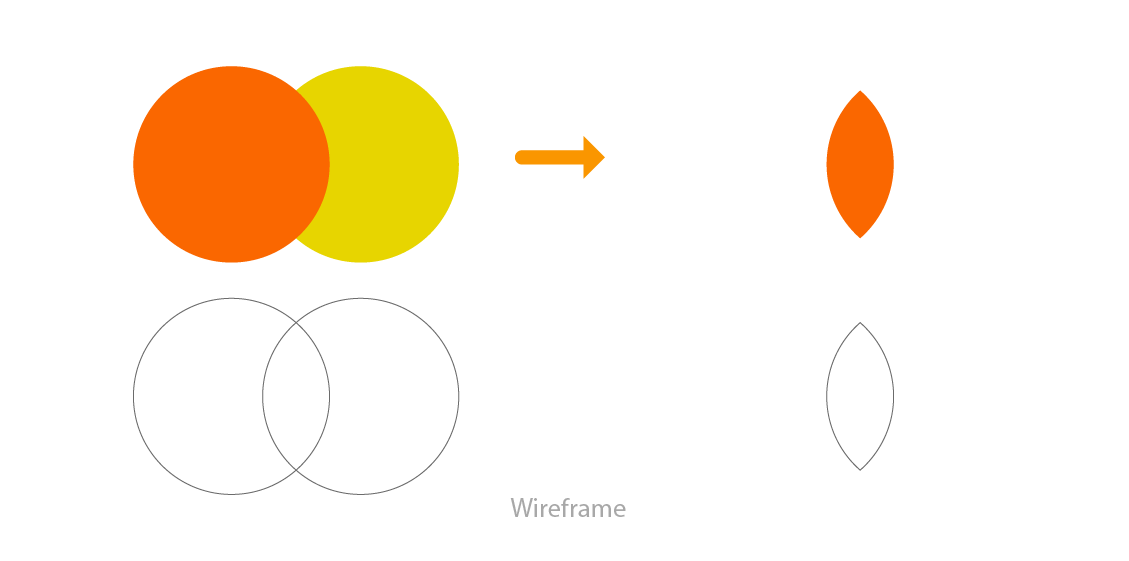
3. Intersect
4. Exclude
5. Divide
6. Trim
7. Crop
8. Merge
9. Outline
1. Unite
Combines two shapes
2. Minus Front
Takes out the shape from the front shape
3. Intersect
Only intersecting area will remain
4. Exclude
Intersecting area will be removed
5. Divide
Divides all shape and creates individuals shapes (This is used in color separation)
6. Trim
Bottom shape is subtracted from front shape
7. Crop
Leaves front shape and divides the intersecting area
8. Merge
Seperates all colors and unites same colors
9. Outline
Turnes vector to strokes
10. Minus Back
Subtracts everything from back to the front shape